
Can You Claim an Interactive Whiteboard (Smartboard) Under HRD Corp?


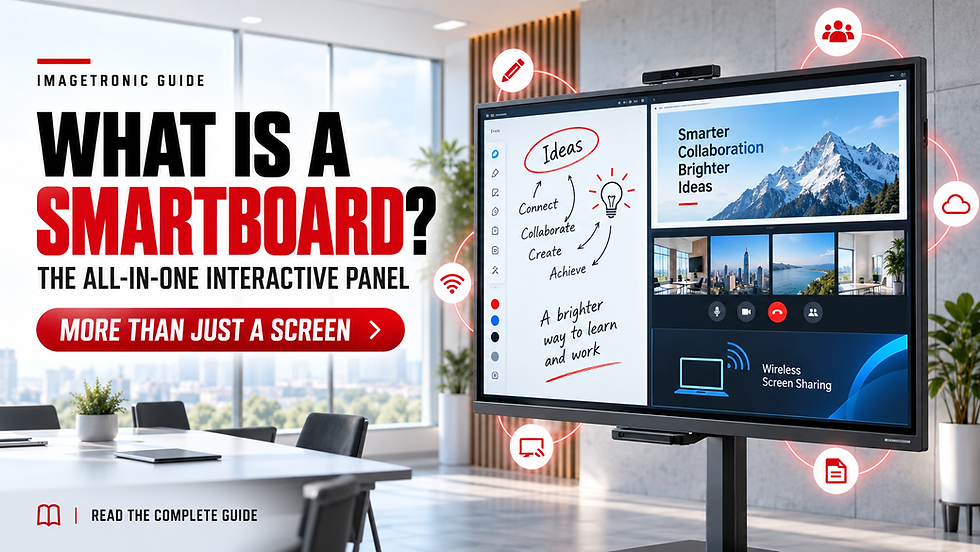
Companies that conduct regular staff training often depend on several separate tools, including a projector, display screen, whiteboard, computer and speakers. An interactive whiteboard, also commonly called a smartboard, combines many of these functions into one system.
This makes it useful for employee onboarding, product training, technical demonstrations, internal workshops and other learning activities.
But can a Malaysian employer use its HRD Corp levy to purchase a smartboard?
The short answer is:
A smartboard may be considered under the HRD Corp Training Facilities and Renovation Scheme (ALAT) when it is required for employee training, relevant to the employer’s business and reserved for approved training activities.
This does not mean every smartboard purchase will automatically be approved. The employer must submit an application before buying the equipment, provide the required supporting documents and wait for HRD Corp’s decision.
HRD Corp or HRDF: Are They the Same?
HRD Corp was previously known as the Human Resources Development Fund, or HRDF. Many Malaysian employers still use search terms such as “HRDF smartboard claim” or “HRDF training equipment.”
Today, the official name is HRD Corp, while applications and claims are generally managed through the e-TRiS portal.
What Is the ALAT Scheme?
ALAT is an HRD Corp scheme that helps registered employers improve the facilities they use for internal employee development.
Instead of only supporting the cost of attending a training course, the scheme may also help eligible employers invest in equipment or improvements required for in-house training.
Depending on the application, this may involve:
Purchasing suitable training equipment
Improving an existing training room
Installing facilities required for internal training
Creating a better environment for employee learning
Supporting retraining and skills-development activities
The scheme is intended for genuine training requirements. It is not designed to pay for general office renovation, the construction of a new building, rental of training rooms or equipment mainly used for normal business operations.
Is a Smartboard Included as Training Equipment?
Older ALAT materials provided examples such as screens, whiteboards, projectors and other presentation tools. They also indicated that employers could propose additional equipment according to their industry and training needs.
A smartboard performs many of these functions within one interactive system. Depending on the model, users may be able to:
Present training slides and documents
Write and annotate directly on the display
Save and share digital notes
Play instructional videos
Open websites and training applications
Display content from a laptop
Conduct hybrid or online training
Invite participants to contribute during a session
For this reason, an employer may propose a smartboard as part of an ALAT application.
However, the product’s features alone do not determine whether it qualifies. The employer must show that the smartboard has a clear role in employee training and is not being purchased mainly for meetings, sales presentations, advertising or customer demonstrations.
Who May Be Eligible to Apply?

Before preparing an application, the employer should check whether:
The company is registered with HRD Corp
The company has an available levy balance
The smartboard is connected to an actual employee-training requirement
The proposed use is relevant to the company’s business or industry
A suitable training room or training area is available
The equipment will be reserved for internal training activities
The company can provide a clear training plan and purchase justification
The application will be submitted before any purchase or installation takes place
Having an available levy balance does not automatically guarantee approval. HRD Corp will still assess the proposed equipment, intended use, cost and supporting documents.
Suitable Training Uses for a Smartboard
A company could consider using a smartboard for:
Employee onboarding
Product knowledge training
Technical and operational training
Workplace safety training
Compliance briefings
Digital-skills development
Sales-team training
Software demonstrations
Standard operating procedure training
Management workshops
Internal department training
Hybrid training involving remote employees
The training activities should be genuine and connected to employee development.
Uses That May Affect Eligibility
An application may face difficulties when the smartboard is mainly intended for:
Normal management meetings
Customer presentations
Sales demonstrations
Product showroom displays
Commercial events
Digital advertising
Daily office operations
External training provided to paying customers
General entertainment or non-training activities
If the equipment is placed in a room regularly used for commercial activities, the employer should clarify the arrangement before applying.
How Much Can Be Applied For?
Under the current HRD Corp conditions, ALAT eligibility is calculated with reference to the employer’s levy balance on 1 January of the application year.
The maximum eligibility is currently limited to 50% of that levy balance, subject to the employer’s available balance and HRD Corp’s approval.
Example
If the company’s levy balance on 1 January is RM40,000:
Levy balance: RM40,000
Maximum ALAT eligibility: RM20,000
Smartboard package: RM15,000
The company may propose the RM15,000 package because it falls within the calculated limit. However, HRD Corp may approve the full amount, approve a different amount or reject the application after reviewing the submission.
The 50% figure represents the maximum eligibility limit, not an automatic reimbursement guarantee.
Some older ALAT materials still show a 30% limit. Employers should follow the latest information available from HRD Corp and the current requirements shown in e-TRiS.
What Documents Should You Prepare?
The documents required may vary according to the application. Employers should generally be prepared to provide:
Supplier quotation
Smartboard model and specifications
Quantity required
Total estimated cost
Installation information
Training-room layout or measurements
Location of the proposed training room
Explanation of how the smartboard will be used
Internal training plan or schedule
Estimated number of employees using the equipment
Internal trainer information, if requested
Other supporting documents required through e-TRiS
A strong application should make it easy for the reviewing officer to understand the connection between the equipment and the company’s training needs.
What Should Be Included in the Smartboard Quotation?
The quotation should contain enough information for HRD Corp and the employer to identify the proposed equipment.
It may include:
Smartboard brand and model
Screen size
4K display resolution
Touchscreen capability
Android operating system
Memory and storage
Camera and microphone specifications
Speakers
Wireless screen sharing
Wall mount or mobile stand
Installation charges
Product training
Warranty period
Technical support
Total price
Optional items should be listed separately so that the employer can clearly understand what is included in the application.
How to Explain the Need for a Smartboard
A purchase justification should not simply say that the company wants to upgrade its meeting room.
It should explain:
What training the company conducts
Which employees will attend
How often the equipment will be used
Why the existing equipment is insufficient
How the smartboard will improve the training process
Sample Justification
Our company conducts regular internal training for employee onboarding, product knowledge, operational procedures and digital skills. The proposed interactive smartboard will be installed in our designated training room and used to present training materials, demonstrate work processes, annotate documents and support participation from both on-site and remote employees. It will allow our trainers to deliver more structured and interactive sessions while keeping the training materials in one system.
The company should adjust this example according to its real activities. It should not submit training purposes that cannot be supported by records or actual programmes.
How to Apply Through e-TRiS
The portal interface may change, but the general process involves the following steps:
Step 1: Confirm the Company’s Levy and ALAT Eligibility
Check the available levy balance and calculate the possible ALAT limit before selecting the equipment.

Step 2: Identify the Training Requirement
Decide which internal programmes will use the smartboard and who will be responsible for conducting the training.

Step 3: Select the Appropriate Smartboard

Choose the screen size and specifications based on:
Training-room dimensions
Viewing distance
Number of participants
Type of training content
Camera and microphone requirements
Need for Android, laptop connection or Windows OPS
Step 4: Obtain a Detailed Quotation

Request a formal quotation containing the product, installation, warranty and supplier information.
Step 5: Prepare the Supporting Documents

Prepare the training-room layout, purchase justification, training plan and any other requested documents.
Step 6: Submit the Grant Application

Log in to the employer’s e-TRiS account and locate the grant application section. Select the relevant ALAT category, complete the required information and upload the supporting documents.
Step 7: Wait for HRD Corp’s Decision
Do not purchase, install or pay a deposit for the smartboard while the application is still pending.
The application must be submitted and approved before the equipment is purchased.
Step 8: Complete the Approved Purchase
After approval, purchase the equipment according to the approved quotation and conditions. The purchase should generally be completed within six months of the approval date.
Step 9: Pay the Supplier and Keep the Records
Retain all relevant documents, including:
Supplier invoice
Official receipt
Proof of payment
Delivery order
Installation confirmation
Product serial number
Photos of the completed installation
Step 10: Submit the Claim
After completing the approved purchase and paying the supplier, submit the claim through e-TRiS with the required documents.
Claims should be submitted within the applicable deadline. Current HRD Corp information states that ALAT purchases and claims must generally be completed within six months from the grant approval date.
Common Mistakes to Avoid

Purchasing Before Approval
Do not assume that an application can be submitted after buying the smartboard. The grant application must come first.
Using a General Quotation
A quotation that only states “one unit of smartboard” may not provide enough information. Include the model, specifications, accessories, installation and warranty.
Giving a Weak Justification
“Upgrade meeting room” is not a strong training reason. Explain the employee programmes and how the smartboard supports learning.
Mixing Training With Commercial Use
Using the same smartboard for customer events, product displays or paid external training may conflict with the declared training purpose.
Assuming the Full Amount Is Guaranteed
The calculated ALAT limit only shows the maximum potential eligibility. Approval still depends on HRD Corp’s evaluation.
Relying on Outdated Information
Older documents may contain previous limits or procedures. Always compare them with the latest HRD Corp information before applying.
What Happens After the Smartboard Is Installed?
The employer should continue using the smartboard according to the purpose approved by HRD Corp.
It is advisable to maintain:
Internal training schedules
Attendance records
Training materials
Photos of training sessions
Trainer information
Equipment records
Invoice and payment documents
If the company plans to relocate, sell, dispose of or report the loss of the equipment, it should first check the applicable HRD Corp reporting and approval requirements.
Imagetronic’s Experience Supporting HRD Corp ALAT Applications
Imagetronic has worked with Malaysian companies that planned to purchase smartboards for internal employee training and apply through the HRD Corp ALAT Scheme.
Based on each company’s training-room size, number of participants and intended use,
our team can provide:
Detailed smartboard quotations
Product specifications
Screen-size recommendations
Installation information
Warranty and technical-support details
Product demonstrations
Basic smartboard user training
Supporting product documents for the employer’s application


For employers that have received ALAT approval, Imagetronic can coordinate the delivery, installation and product setup according to the approved quotation.
The grant application must be submitted by the employer through e-TRiS. Final eligibility and approval remain entirely subject to HRD Corp’s assessment.
Selected Corporate Smartboard Installations
The photos below show selected Imagetronic smartboard installations and corporate training-room projects completed for Malaysian businesses.
Each organisation’s training requirements and HRD Corp eligibility may be different. These project examples should not be interpreted as a guarantee that every application will be approved.
Frequently Asked Questions
Is a Smartboard Automatically Claimable Under HRD Corp?
No. A smartboard may be proposed as training equipment, but the employer must demonstrate that it is relevant to the company’s internal employee training. Final eligibility and the approved amount are determined by HRD Corp.
Can We Buy the Smartboard First and Apply Later?
This is not recommended. The ALAT grant application must be submitted before purchasing or installing the equipment. The employer should wait for approval before confirming the order or making payment.
Can the Smartboard Be Used in a Meeting Room?
The important consideration is how the equipment and room will be used. If the room is regularly used for customers, sales activities or ordinary meetings, the employer should clarify its eligibility with HRD Corp before applying.
Can a Training Provider Apply for a Smartboard?
Being an HRD Corp-registered training provider does not automatically make the equipment eligible. The smartboard should support the provider’s own employee training rather than its commercial courses or customer-facing operations.
Does HRD Corp Pay the Smartboard Supplier Directly?
The ALAT claim process generally requires the employer to complete the approved purchase and pay the supplier before submitting the claim. Employers should confirm the latest payment and claim procedure through e-TRiS.
Is Windows OPS Claimable Together With the Smartboard?
It may depend on how the OPS is presented, why it is required and how HRD Corp classifies it. The employer should list optional hardware separately and obtain clarification before assuming it will be included.
Is Software Subscription Claimable?
Software and subscriptions may be treated differently from physical training equipment. Employers should not assume that third-party applications, AI subscriptions or general software licences are covered under the same ALAT application.
Final Checklist
Before submitting an application, confirm that:
The company is registered with HRD Corp
The levy and ALAT eligibility have been checked
The smartboard is required for internal employee training
A designated training location is available
The appropriate screen size and specifications have been selected
A complete supplier quotation has been obtained
The training justification has been prepared
The room layout and supporting documents are ready
No purchase or installation has taken place
The company understands that approval is not guaranteed
Request an Imagetronic Smartboard Quotation
If your company is planning to improve its internal training room, Imagetronic can recommend a suitable smartboard based on your room size, number of participants and training requirements.
Request a product demonstration, specifications or a detailed quotation for your ALAT application.
Comments